

For adults living with ADHD, even small everyday responsibilities can feel like a constant uphill climb. Missed deadlines, forgotten appointments, and disrupted daily routines are not a sign of laziness. They’re part of how the ADHD brain processes time and executive functioning. While alarms and sticky notes might offer quick fixes, they often fail to address the deeper ADHD struggle with structure and follow-through.
This is where ADHD apps have become transformative. Unlike generic productivity apps, the best ones are designed to support adult ADHD needs, helping users build consistency in time management, stay accountable, and simplify complex tasks into steps that feel achievable.
In this roundup, we’ll explore the top ADHD apps for three key areas: maintaining focus, improving task management, and boosting accountability. Each app has been chosen because it directly addresses challenges like time blindness, procrastination, and executive function gaps—issues that standard tools often overlook.
If you’re unsure whether your struggles might relate to ADHD, it’s worth learning more about the condition itself. You can take a free ADHD test to see if a full assessment could be your next step.
What to Look for in the Best ADHD Apps
Choosing the right ADHD app is about finding a system that works for your specific needs and doesn’t add more clutter. While there’s a multitude of apps marketed as productivity solutions, only some are genuinely useful for neurodivergent folks who need support beyond generic checklists.
Here are the key features to look for:
- Calendar integration – so you can connect tasks to actual dates and avoid losing track of important events.
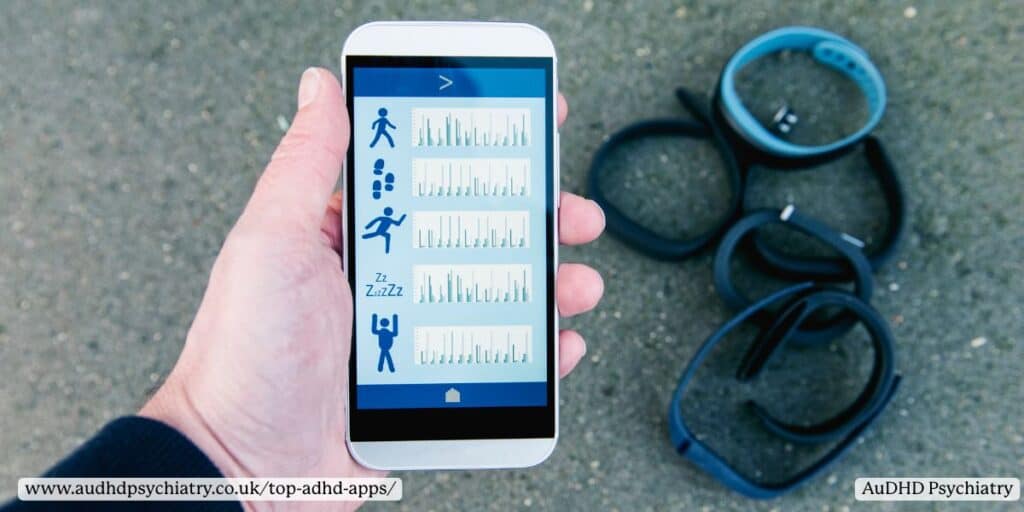
- Habit tracking – building healthy habits is essential for ADHD, and apps with streaks or reminders make it easier to stick to routines.
- Visual timelines – a visual representation of your day or week helps reduce time blindness and make planning less abstract.
- Ease of use – ADHD-friendly apps must have a user-friendly interface. Complicated layouts or too many menu layers often lead to abandonment.
- Customisation – colour-coding, recurring reminders, and layout tweaks allow the app to feel personal and supportive instead of rigid.
- Engagement features – gamification, rewards, or interactive elements keep motivation high, especially during daily tasks that otherwise feel repetitive.
An intuitive, organization app that balances simplicity with enough powerful features will always be more effective than one overloaded with options. It’s not about the “flashiest” tool but about the one that fits seamlessly into your real life.
For more strategies and supportive tools beyond apps, check out our ADHD Resources & Tools hub.
Body Doubling and Accountability Tools for ADHD
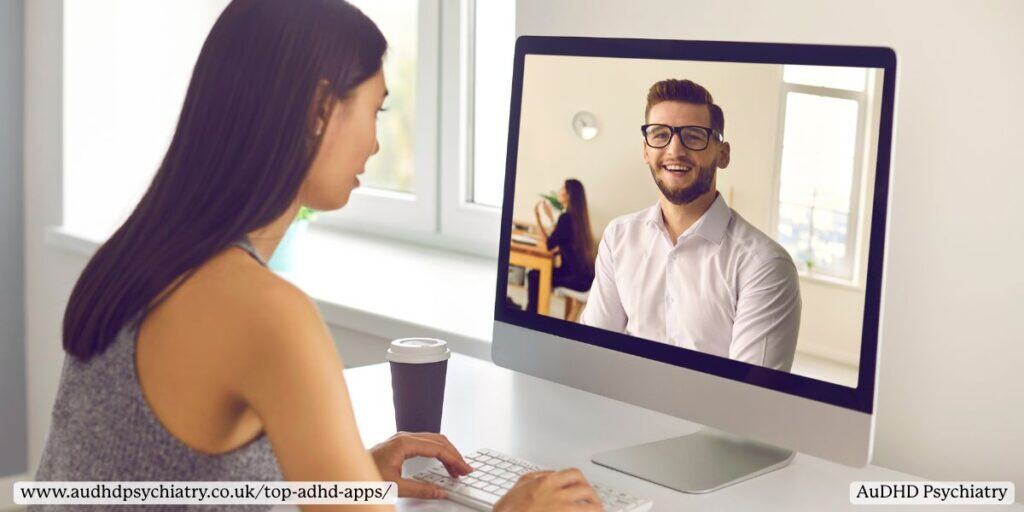
One of the most effective strategies for managing adult ADHD is body doubling. This technique involves working alongside another person, either virtually or in person, to boost focus and cut down on procrastination. For many, the simple act of having someone else present creates a sense of accountability, helping transform overwhelming projects into manageable daily tasks.
Why Body Doubling Works
Body doubling works because it reduces the isolation and mental friction that often come with ADHD. Instead of relying solely on willpower, you’re tapping into social cues and shared energy. This reduces perfectionism, makes task completion less daunting, and supports productivity during even the toughest ADHD struggle days. It’s an approach that has gained popularity because it consistently helps people stay engaged and avoid drifting off into distractions.
Top Accountability Tools for ADHD
- Focusmate – Perhaps the most well-known virtual body doubling platform, Focusmate pairs you with a real person for timed work sessions. You log on, state your goals, and then silently work together. This structured system helps maintain momentum and offers the “personal assistant” effect without the cost.
- Caveday – Designed as a deep-work community, Caveday runs group sessions where participants log in, declare their tasks, and then work silently for timed intervals. The group format increases accountability and provides a safe space for shared productivity.
- Flow Club – Similar to Focusmate, Flow Club adds a social element by hosting co-working “rooms” where you can join others tackling different tasks. It’s flexible enough for both short bursts of activity and longer work sessions.
The Real-Life Benefits
For adult ADHD, accountability tools like these are more than just productivity tools. They help with motivation, provide structure for daily activities, and create a buffer against distraction. When combined with other ADHD management strategies, body doubling can be the difference between staring at a blank page and actually completing the work.
If perfectionism or task paralysis often gets in the way, you may want to explore additional strategies in our guide on How to Deal With Task Paralysis.
Best ADHD Apps for Task Management
Managing daily tasks is one of the biggest challenges for people with ADHD. Forgetfulness, competing priorities, and executive function difficulties can make it hard to complete even important tasks on time. A well-designed task management app can make a significant difference by breaking goals into steps, offering to-do lists, and providing reminders that keep you moving forward.
Todoist
Todoist is one of the most popular to-do list apps, and for good reason. Its clean design and flexible features make it easy to capture tasks quickly and then organise them by project, due date, or priority level. ADHD users benefit from the ability to create recurring reminders and colour-code tasks for better visibility. Subtask features allow you to break down larger projects into smaller, more achievable steps, helping reduce overwhelm.
Remember the Milk
A long-standing favourite, Remember the Milk offers straightforward task organisation with a lightweight interface. You can add tasks using natural language (for example, typing “Call GP tomorrow at 10am”), and the app will automatically assign reminders. This makes it a great option for ADHD users who need speed and simplicity. Its free version covers most needs, though upgrading unlocks more powerful features like syncing across multiple devices.
Asana
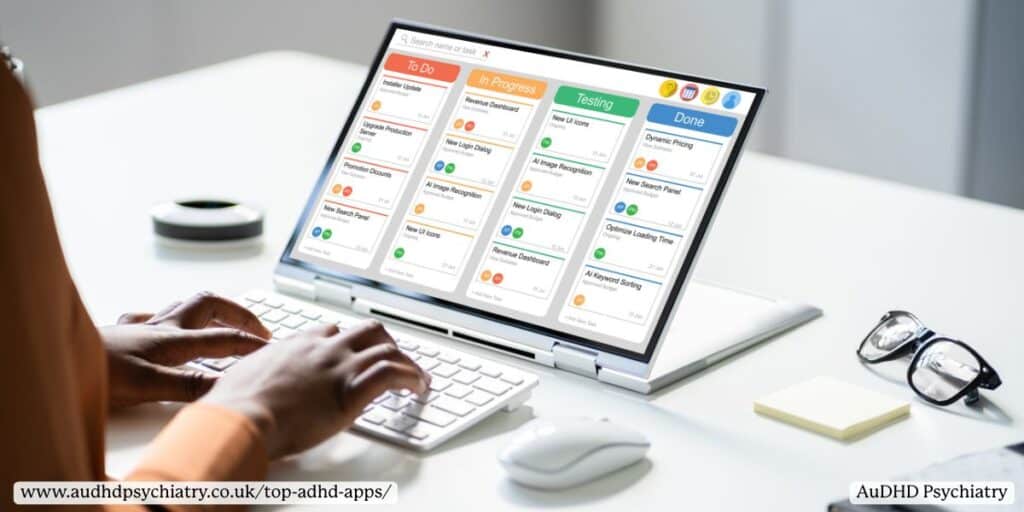
For those managing group projects or work responsibilities, Asana stands out as a task management tool with collaborative features. ADHD users can assign tasks to team members, set deadlines, and create visual project boards that make progress easier to track. While Asana may feel like too much for personal use, it’s an excellent choice for professionals who need to juggle specific tasks while also coordinating with colleagues.
Each of these apps addresses a different specific need. Some ADHDers may prefer the quick capture style of Remember the Milk, while others need Todoist’s flexibility or Asana’s team integration. The key is finding the right balance between simplicity and structure.
Top ADHD Apps for Focus and Time Management
Focus and time management are common struggles in ADHD, especially with time blindness and procrastination. The best ADHD apps for focus provide external structure, turning time into something visible and tangible. They also introduce healthy habits that make work sessions more manageable.
Forest
The Forest app is a creative way to combat distractions. When you start a work session, you “plant” a virtual tree that grows as long as you stay off your phone. Leave the app early, and your tree withers. Over time, you grow a digital forest, providing a visual record of focus achieved. For ADHD users, this gamified approach turns the abstract challenge of focus into something concrete and rewarding, supporting better focus and productivity.
Focus Keeper – Pomodoro Timer Method
The Pomodoro technique is a widely recommended strategy for ADHD, and Focus Keeper offers one of the best digital versions. The app uses 25-minute Pomodoro timer intervals followed by short breaks, creating a rhythm that makes tasks less overwhelming. ADHD users benefit from built-in progress tracking and adjustable intervals. For those struggling with long stretches of concentration, this is a game-changer that improves energy regulation and helps prevent burnout.
Motion – AI Planning to Save Time
Motion is an AI-powered planner that automatically rearranges your tasks and meetings in response to deadlines, energy levels, and available hours. For ADHD users who struggle to prioritise or estimate how long tasks will take, Motion acts like a digital assistant, ensuring nothing falls through the cracks. Its mobile app integrates with existing calendars, making it practical for both work and personal commitments.
These apps go beyond standard productivity tools by helping with time blindness, structuring work into manageable blocks, and reinforcing healthy habits. However, some individuals who may have tried tools and apps still struggle with ADHD symptoms. If you’re also experiencing this, consider professional help. AuDHD Psychiatry offers personalised treatment that addresses your unique struggles. Book a free intro call with us today.

Top ADHD Apps for Building Habits and Daily Routines
For many with adult ADHD, building consistent routines can feel like a constant struggle. Small daily tasks from brushing teeth to managing work responsibilities can be disrupted by forgetfulness, lack of motivation, or fluctuating energy levels. Apps that focus on habit tracking and routine-building provide structure, accountability, and rewards that make it easier to stay on track.
Productive – Habit Tracker and Daily Routine Builder
Productive is designed to encourage small, repeatable actions that build into long-term habits. Users can create custom routines, track streaks, and set reminders for daily activities such as exercise, medication, or meal planning.
Key features include:
- Customisable habit categories (health, work, personal care).
- Motivational statistics and progress visuals.
- Flexible scheduling for habits you want to build weekly or monthly.
For ADHD users, Productive reduces the mental load of remembering tasks by externalising them into a simple, motivating system.
Habitica
Habitica takes a playful approach by turning routines into role-playing quests. Every time you complete a task, your avatar gains rewards, while neglecting tasks may result in in-game penalties.
Why users like it:
- External accountability through gamification.
- The ability to join communities and guilds for social support.
- A fun way to make repetitive routines feel less like chores.
This habit tracker is especially effective for ADHDers who thrive on instant feedback and rewards.
Brili
Brili is one of the few apps built specifically with ADHD in mind. It provides visual schedules, countdown timers, and step-by-step guidance to help users transition between activities. Parents often use it for children with ADHD, but it also works well for adults.
Unique features:
- Visual timelines to reduce time blindness.
- Pre-built routines for morning and evening schedules.
- ADHD-friendly reminders that support independence.
Together, these apps help transform routines into manageable, repeatable actions. Whether you prefer gamified habit tracking with Habitica or structured routines with Brili, the goal is the same: create predictability and reduce decision fatigue. For further planning support, see our comparison of Digital vs Paper Planners.
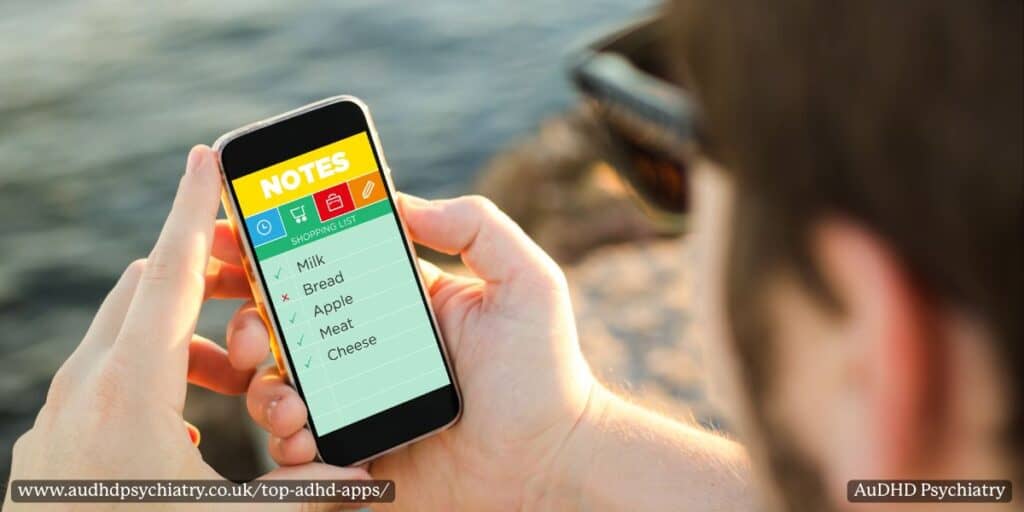
Note-Taking and Brain Dump Apps for ADHDers
For people with ADHD, ideas often come all at once, making it hard to take notes and capture everything before it disappears. This challenge is tied to working memory and executive function, both of which can be affected by ADHD symptoms. Note-taking apps provide an external space to store important details, helping ADHD users focus on the task at hand without the fear of forgetting something vital.
Evernote
Evernote remains one of the most powerful note-taking apps on the market. Its strength lies in keeping everything in one place: text files, audio recordings, PDFs, and even scanned documents.
Standout features include:
- Tagging system for sorting information by topic.
- Cross-device syncing for reliable access anywhere.
- Integrated task lists for combining notes with task completion.
For ADHDers, Evernote functions as both a powerful tool for storing important notes and a task manager for keeping on top of everyday responsibilities.
Microsoft OneNote
OneNote is highly versatile, allowing users to create digital notebooks divided into sections and pages. This flexibility appeals to ADHDers who like visual organisation without rigid structures.
Key benefits:
- Colour-coded tabs and sections for quick navigation.
- Ability to embed files, images, or links directly into notes.
- Collaboration features for team members or family planning.
Its flexible task system is especially useful for people who want a balance of free-flowing notes and structured lists.
SimpleMind Pro
For ADHD users who think visually, SimpleMind Pro offers a structured way to capture ideas through mind mapping. Instead of linear notes, users create interconnected webs of concepts.
Why it works for ADHD:
- Visual layouts reduce overwhelm from long text blocks.
- Helps with problem-solving and creative projects.
- Supports exporting maps into text files for further organisation.
This visual tool is ideal for brain dumps when thoughts are scattered, helping turn chaos into clear pathways.
Together, these apps provide options for different preferences: Evernote for comprehensive storage, OneNote for flexible organisation, and SimpleMind Pro for visual thinking. They make brain dumps less overwhelming, allowing ADHD users to offload mental clutter and focus on daily tasks that matter.

Top ADHD Apps for Reducing Stress and Supporting Mental Health
Living with ADHD often means navigating stress alongside core ADHD symptoms. Many adults report heightened anxiety, difficulty winding down, or sensory overload from constant stimulation. Because attention deficit hyperactivity disorder overlaps with other mental health conditions, supportive tools that encourage relaxation and emotional regulation can make a meaningful difference. The top ADHD apps for this purpose focus on reducing stress, increasing self-awareness, and creating calm environments to balance energy levels.
Endel
Endel creates personalised soundscapes that adapt to your environment, activity, and circadian rhythm. For ADHD users, its AI-driven approach can reduce distractions and help regulate attention during work or relaxation.
Notable features include:
- Adaptive background noise to mask distractions.
- Custom sound profiles for focus, sleep, or stress relief.
- Sync across mobile devices for consistent use.
For many ADHDers, having tailored audio as a helpful tool makes daily life more manageable.
Headspace and Calm
Meditation may feel daunting for people with ADHD, but Headspace and Calm simplify the process with short, guided practices. These meditation apps integrate mindfulness exercises into everyday routines, teaching skills for stress management and emotional balance.
Why they stand out:
- Short sessions designed for beginners.
- Options for breathing techniques, sleep support, or focus boosts.
- Visuals and progress trackers to encourage consistency.
These apps aren’t a replacement for therapy or ADHD treatment, but they can be an excellent tool for reducing stress, managing emotional dysregulation, and improving mental well-being.
Top ADHD Apps: Task Management Calendars
Keeping track of daily schedules, due dates, and important events is a constant challenge for people with ADHD. Time blindness can make it difficult to judge how long tasks will take or when deadlines are approaching, which often leads to missed appointments or last-minute stress. The right calendar apps transform scheduling into an accountability system, reducing reliance on working memory and providing external cues that keep plans visible and manageable.
Google Calendar
Google Calendar remains one of the most widely used digital calendars. For ADHD users, its combination of flexibility and structure makes it a great tool for accountability. Key features include:
- Customisable reminders across devices.
- Colour-coded categories to separate work, personal, and self-care.
- Recurring events for routines like medication reminders or check-ins.
Its ability to sync across mobile devices means users always have a visual representation of their commitments, helping to reduce last-minute surprises.
Tiimo
Tiimo is a visual planner specifically designed with neurodivergent users in mind. Its strengths lie in offering visual representation of daily routines through icons and colour cues. For adults and young people with ADHD, this reduces the cognitive load of reading long lists.
- Provides step-by-step schedules.
- Accessible on both iOS and Android devices.
- Encourages consistency by turning routines into predictable, easy-to-follow timelines.
Both apps work as accountability partners, supporting focus and reliability in everyday life.

How to Choose the Right ADHD App for Your Needs
With a multitude of apps available, it’s easy to feel overwhelmed when deciding which ones will genuinely support your ADHD management. The truth is that there’s no single best ADHD app. The right choice depends on your specific needs, energy levels, and daily routines. Apps that work well for one person may feel distracting or too rigid for another, so it’s important to approach selection with self-awareness and a willingness to experiment.
Key Factors to Consider
When narrowing down your options, focus on:
- Ease of use – an intuitive interface is crucial, since overly complex designs can lead to app fatigue.
- Customisation options – the ability to change colours, layouts, or reminder settings ensures the app adapts to your workflow.
- Integration – look for apps that sync across devices or connect with tools you already rely on.
- Value for money – many apps offer a free version, free trial, or free plan, so you can test before committing.
Matching Apps to Your ADHD Struggles
Here are some tips on choosing an app based on your challenges:
- If time blindness is your biggest challenge, a visual calendar app like Tiimo may be the best option.
- If you struggle with task completion, try a task management app with progress tracking.
- For building habits, a habit tracker such as Habitica can provide structure and motivation.
Ultimately, the right app is one that reduces friction and makes your daily activities feel more achievable. For more guidance on tailoring tools to your circumstances, see Top Private ADHD Assessment Services.
When ADHD Apps Aren’t Enough
While ADHD apps can be excellent tools for structure and accountability, they are not a substitute for medical care. ADHD is a complex health condition that affects executive functioning, working memory, and emotional regulation. Digital supports can help with day-to-day routines, but sometimes additional treatment is required to address symptoms more effectively.
When to Seek Extra Support
If you notice that:
- Daily tasks remain overwhelming despite using productivity apps,
- You experience ongoing procrastination, stress, or emotional dysregulation,
- Or your ADHD symptoms interfere with work, studies, or relationships,
…it may be time to consider professional support.
Role of ADHD Medication and Therapy
ADHD medication can improve focus, reduce impulsivity, and make it easier to use apps and organisational systems effectively. Therapy or coaching provides strategies tailored to your specific challenges, such as managing energy levels, planning personal tasks, or coping with emotional strain. Support groups also create safe spaces to share experiences and learn from others navigating similar struggles.
Top ADHD Apps: Conclusion
The most effective treatment plans combine ADHD management tools with professional care. Apps can support routines, but long-term progress often requires a holistic approach that includes medical guidance. There is no one-size-fits-all list of apps to use for focus, task management, and accountability. It’s a matter of testing out your options and finding out which ones you like best.
If you’re looking for professional advice on ADHD resources and tools or if the challenges described here resonate with you, you can visit our Book My Assessment page to receive tailored advice from our clinical team.
Find the Right Assessment
Our clinicians are ready to help you get the complete support you need.
Author:

Contact Us
We’re here to answer any questions you might have.
Get in Touch
Opening Hours
Contact Form
We’re here to help. Reach out and we’ll get back to you within 24 hours (Monday – Friday).
Leave a Reply